Physical Address
304 North Cardinal St.
Dorchester Center, MA 02124
Physical Address
304 North Cardinal St.
Dorchester Center, MA 02124

Expert AI tools reviews, Pinterest marketing tips, and smart home solutions. Grow your YouTube channel and online business with tested strategies.

Expert AI tools reviews, Pinterest marketing tips, and smart home solutions. Grow your YouTube channel and online business with tested strategies.

Affiliate Disclosure: This post may contain affiliate links. If you click and make a purchase, we may earn a commission at no extra cost to you.
OpenAI killed Sora. In April 2026, the web app and mobile app disappeared without much ceremony, and by September even the API was gone. I’d built two client projects on Sora — I know exactly how that feels. The good news? The AI video landscape in 2026 is better than ever, and for most creators, mixing the right generator with a professional editor on Fiverr beats any single tool. Here’s the honest playbook I use now.
OpenAI quietly discontinued Sora after failing to make it economically viable at consumer prices. For creators, the practical impact was simple: any workflow built around Sora’s API had to be rebuilt. But the void was filled fast. Runway, Google’s Veo, and Kuaishou’s Kling all shipped major upgrades in late 2025 and 2026, and the quality gap between them and Sora’s later versions narrowed dramatically.
This matters because the “best” AI video generator is now workflow-dependent, not absolute. You don’t need the most powerful model — you need the one that fits your content type and your budget. And when no AI model fits, a human editor still wins. More on that below.
I’ve run the same test prompts through every major generator this year: a product ad, a documentary-style faceless video, a YouTube Short, and a talking-head avatar clip. Here’s how they stack up:
| Tool | Best For | Clip Length | Native Audio | Starting Price |
|---|---|---|---|---|
| Runway Gen-4.5 | Image-to-video, professional ads | ~10s (extendable) | Yes | From $12/mo |
| Google Veo 3.1 | Highest realism, cinematic shots | 8s per clip | Yes (48kHz) | Via Gemini plans |
| Kling 3.0 | Best value, character consistency | 15s+ (extend to ~3 min) | Yes | Free / $6.99/mo |
| Seedance 2.0 | Multi-shot storytelling, long scenes | Up to 30s+ | Yes | API ~$0.11/s |
| Pika 2.5 | Quick creative experiments | ~5-8s | No | Free tier |
| HeyGen | AI avatars, talking-head faceless videos | Long-form | Yes | $24/mo |
If you only remember one thing: Runway for professional look, Kling for value, Veo when money is no object, and HeyGen when you need a face on screen. My full HeyGen review covers the avatar option in detail.

Here’s the truth nobody sells you: AI generators create footage. Editors create videos. A 10-second AI clip looks amazing in isolation, but a full 8-minute video still needs pacing, transitions, captions, sound design, and a hook — the things generators are worst at. That’s why every serious creator I know uses both.
The moment you treat AI clips as “raw footage” and hand them to a professional editor, your channel quality jumps to a level that pure AI pipelines rarely reach.
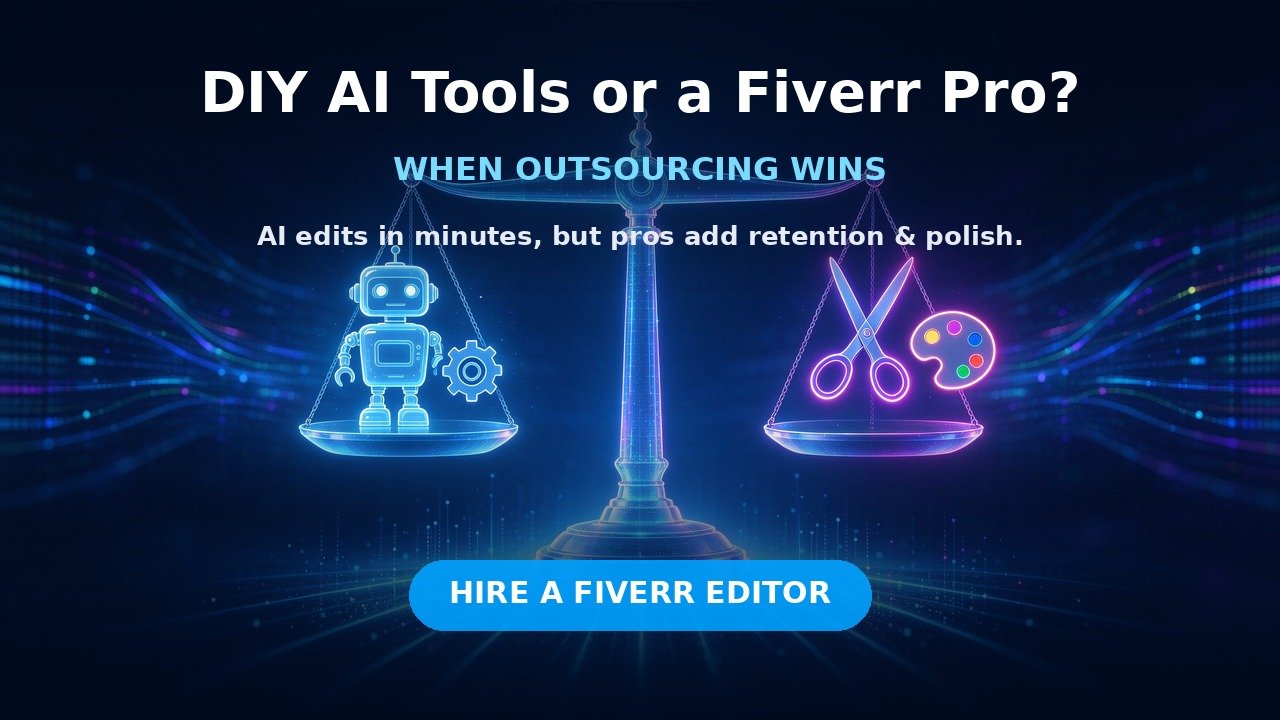
This exact pipeline is what I used in my faceless YouTube channel guide — it works for both faceless and on-camera channels.

Every tool in the ranking above got the same four test prompts from me: a 30-second product ad for a fictional skincare brand, a documentary-style faceless video opening, a fast-paced YouTube Short, and an avatar talking-head clip. I judged on five criteria: output realism, prompt adherence, clip length, native audio quality, and price per finished minute. A few things surprised me:
That last point is the whole argument of this article. Generation is solved. Editing is where you win.
The workflow I’ve settled on for client work looks like this: I generate 10-15 seconds of hero footage with Runway or Kling, write and voice the script with ElevenLabs, then hand the whole package to an editor who assembles the final video with captions, sound design, and motion graphics. The division of labor is simple:
This combo consistently outperforms both “pure AI” and “pure human” pipelines in my testing. Pure AI videos look generic; pure human videos cost more and take longer. The hybrid hits the sweet spot: fast, original, and professional.
Stay DIY while you’re learning and your volume is low. The moment editing becomes your bottleneck — you’re skipping uploads, or a video takes you two full evenings — outsource. Three situations where Fiverr pays for itself immediately:
AI clips are raw material. A pro editor turns them into an actual video with rhythm, captions, and sound design. If your project is built on AI-generated video, look for editors experienced with AI workflows — browse Fiverr’s AI video services here and check their portfolios for sample AI footage work.
Hooks, pacing, b-roll coverage, sound mixing — the difference between a 40% and 60% average view duration is usually editing, not topic. A specialist in YouTube video editing is worth the hire: find YouTube video editors on Fiverr and send them a reference video plus your raw clips.
Shorts live or die in the first two seconds. Kinetic typography, punchy captions, and motion graphics are a specialist skill — hire a short-form video editor on Fiverr who shows Shorts-specific samples in their gig.
| Setup | Monthly Cost | Output |
|---|---|---|
| Free tier (Kling + CapCut) | $0 | Occasional Shorts |
| Serious solo (Runway + ElevenLabs + VidIQ) | ~$40-60/mo | 1-3 videos/week |
| Solo + occasional Fiverr editor | ~$50 tools + $50-150/gig | 2-4 videos/week, pro polish |
| Full pipeline (tools + regular editor) | ~$75 tools + $300-800/mo | 5-10 videos/week |
My honest advice: start solo with the free-to-cheap stack, and reinvest your first ad or affiliate revenue into a Fiverr editor. That’s the fastest path from “making videos” to “running a channel.”
Yes. OpenAI discontinued the Sora web/app in April 2026 and shut down the API in September 2026. Any tutorial claiming to use Sora today is outdated.
Kling 3.0 has a usable free tier with watermarks, and Pika offers free credits. For watermark-free output, you’ll need a paid plan — even the cheapest ones beat the time cost of editing around watermarks.
Not yet. Generators create footage; editors create videos. The best results come from combining them.
For faceless channels: Kling 3.0 for value and long clips. For cinematic b-roll: Veo 3.1. For talking-head content: HeyGen. Pair whichever you choose with a professional editor for the final assembly.
Yes, if the content is original, the voiceover is licensed or yours, and you add real value. Reused content policies target reposted material, not AI-assisted original work.
Learn just enough to judge quality and write a good brief — roughly 10 hours of practice. Then outsource the heavy lifting. Understanding pacing and hooks makes you a better client and stops you paying for weak edits.
Sora’s exit shook up the market, but 2026’s AI video stack is stronger than ever: Runway, Veo 3.1, and Kling cover generation, ElevenLabs covers voice, and Fiverr editors cover the human polish that machines can’t. Learn to generate, then outsource the editing — that combination is how creators ship faster and grow further. If you’re building this pipeline from scratch, start with my complete AI tool stack for creators, then come back and compare your first draft against the workflow above.
Disclosure: Some links in this article are affiliate links. If you buy through them, I may earn a commission at no extra cost to you. I only recommend tools I’ve actually used.