Physical Address
304 North Cardinal St.
Dorchester Center, MA 02124
Physical Address
304 North Cardinal St.
Dorchester Center, MA 02124
Expert AI tools reviews, Pinterest marketing tips, and smart home solutions. Grow your YouTube channel and online business with tested strategies.
Expert AI tools reviews, Pinterest marketing tips, and smart home solutions. Grow your YouTube channel and online business with tested strategies.

Honest HeyGen review 2026: I tested AI avatar video for 3 months. Here's the real pricing, quality, use cases, and when to hire a human presenter on Fiverr instead.
Affiliate Disclosure: This post may contain affiliate links. If you click and make a purchase, we may earn a commission at no extra cost to you.
When HeyGen first launched, I was skeptical. AI avatar videos that look like real people? It felt like science fiction. But after testing it for 3 months — using it for YouTube intros, product explainers, and social media clips — I have a much clearer picture of what it’s good for, what it’s terrible at, and whether it’s actually worth paying for.
In this honest HeyGen review, I’ll break down pricing, video quality, use cases, and when you’re better off hiring a real human presenter on Fiverr instead. Let’s dive in.
This is part of my series on AI tools every content creator needs. For more creator tools, check out my reviews of AI video editing vs Fiverr, AI voice tools, and AI design vs hiring a pro.
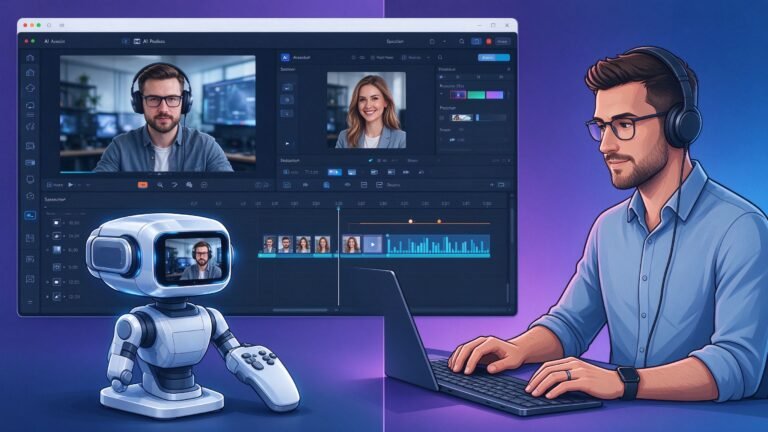
HeyGen is an AI video generation platform that lets you create professional-looking videos with digital avatars. You type in a script, pick an avatar, and HeyGen generates a video of that avatar speaking your words — with lip sync, gestures, and facial expressions.
Here’s how it works in practice:
The whole process takes about 5-10 minutes. No camera, no studio, no filming required.
| Plan | Price | What You Get |
|---|---|---|
| Free Trial | $0 | 1 minute of video, watermarked |
| Creator | $24/month | 15 minutes/month, no watermark |
| Pro | $120/month | 100 minutes/month, custom avatars |
| Enterprise | Custom | Team seats, API, dedicated support |
It’s not cheap. The Creator plan starts at $24/month, and you only get 15 minutes of video. If you’re making daily content, that goes fast.
This is the million-dollar question. Let me be honest: HeyGen has come a long way, but it’s still not perfect.
For short videos (30-60 seconds), it’s genuinely hard to tell it’s AI. For longer videos (2+ minutes), the flaws start to show.
I started by making a bunch of test videos: YouTube intros, product explainers, social media clips. Here’s what worked:
After a month, I stopped trying to use HeyGen for everything. I settled on two main uses:
For everything else — my main YouTube videos, podcast intros, sales pages — I either film myself or hire a professional on Fiverr.
For my most important videos — launches, sales pages, brand intros — I hire professional on-camera presenters from Fiverr. They film in real studios with real lighting, and the quality is something AI can’t match (yet).
Here’s what I look for in a Fiverr presenter:
Here’s my honest recommendation after 3 months of testing:
| Your Situation | Recommendation |
|---|---|
| Testing on a budget, don’t want to be on camera | Try the free trial first |
| Need lots of short explainer videos | Creator plan ($24/month) |
| Building your personal brand | Film yourself or hire Fiverr presenter |
| Launch video / sales page | Hire professional on Fiverr |
At the end of the day, HeyGen is a great tool for the right use case. It’s not going to replace real human presenters anytime soon — but for quick explainers, social media clips, and when you just don’t want to be on camera, it’s surprisingly good.
For short videos (under 1 minute), most people can’t tell. For longer videos or close-ups, the uncanny valley effect starts to kick in. It’s getting better every month, but it’s still not 100% indistinguishable.
HeyGen starts at $24/month for the Creator plan (15 minutes of video). The Pro plan is $120/month for 100 minutes and custom avatars. There’s a free trial with 1 minute of watermarked video.
Yes, HeyGen offers custom avatar cloning on the Pro plan and above. You record a few minutes of yourself, and HeyGen creates a digital version you can use in videos.
No, not for personal branding. Real human connection builds trust. But if you hate being on camera, or need to produce lots of videos quickly, HeyGen is a solid alternative.
Disclosure: Some links in this article are affiliate links. If you click through and make a purchase, I may earn a commission at no extra cost to you. This helps support the site and allows me to keep creating honest reviews.